
Quick answer
Run `ng test --no-watch --code-coverage` to generate a coverage report with Karma. Angular writes an HTML report to the /coverage folder — open coverage/index.html to see line, branch, function, and statement coverage per file. To make it the default, set codeCoverage: true under the test options in angular.json.
Angular CLI can run unit tests and create code coverage reports for your angular projects. You can find how much code has been covered in your files and project using karma. Code coverage reports can show you any parts of your code base that are tested and not covered by your unit tests.
You can generate code coverage by running this command
ng test --no-watch --code-coverage
This will create a new /coverage folder in your project.
You also need to add this option in angular.json:
"test": {
  "options": {
    "codeCoverage": true
  }
}
To set code coverage threshold you need to enable this in your Karma configuration file, karma.conf.js, by adding the check property in the coverageReporter:
coverageReporter: {
  check: {
    emitWarning: false,
    global: {
      statements: 50,
      branches: 50,
      functions: 50,
      lines: 50,
      excludes: [
        'app/bar/**/*.ts'
      ]
    },
    each: {
      statements: 50,
      branches: 50,
      functions: 50,
      lines: 50,
      excludes: [
        'app/directory/**/*.ts'
      ],
    }
  }
}
check is used to configure minimum threshold enforcement for coverage results. If the thresholds are not met, karma will fail the test.
Code Coverage Report
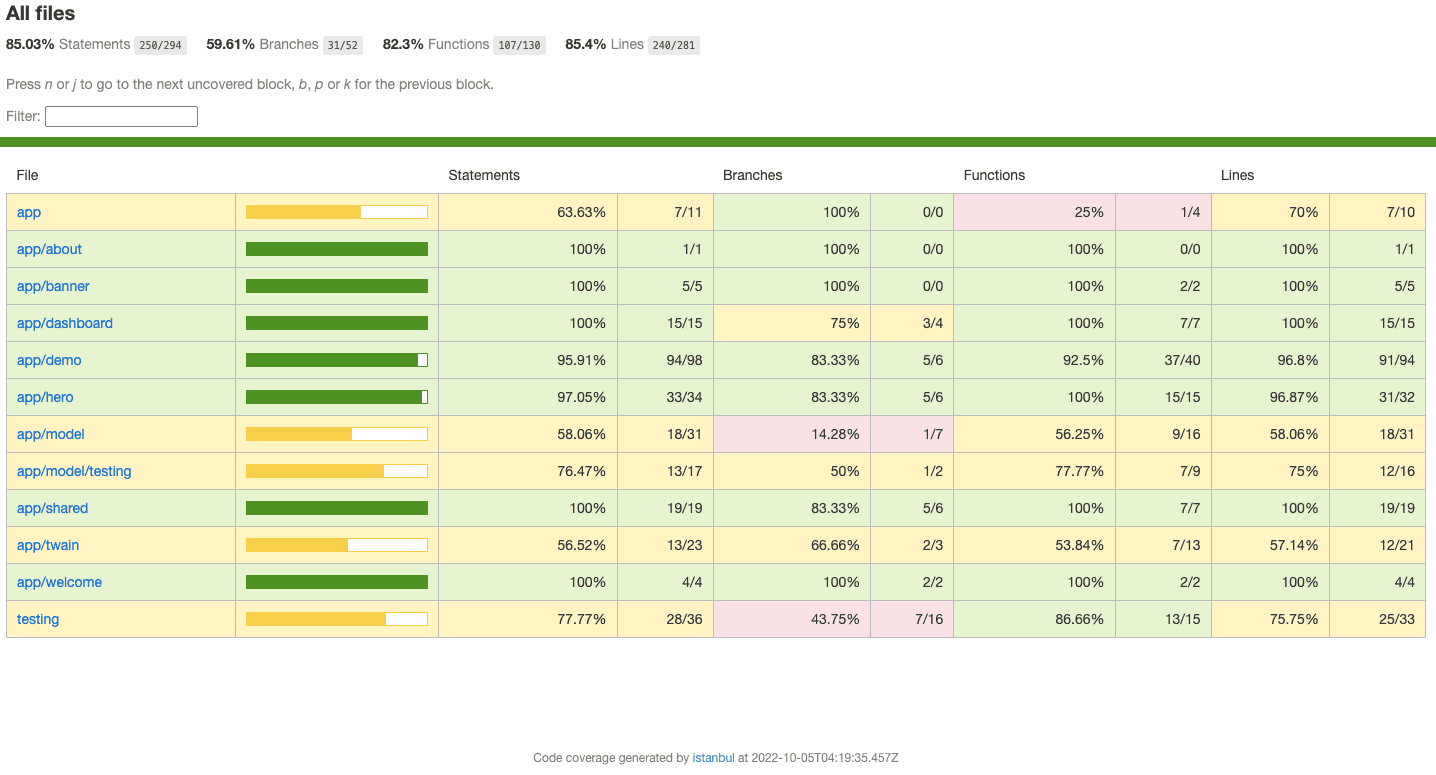
Code Coverage of a file
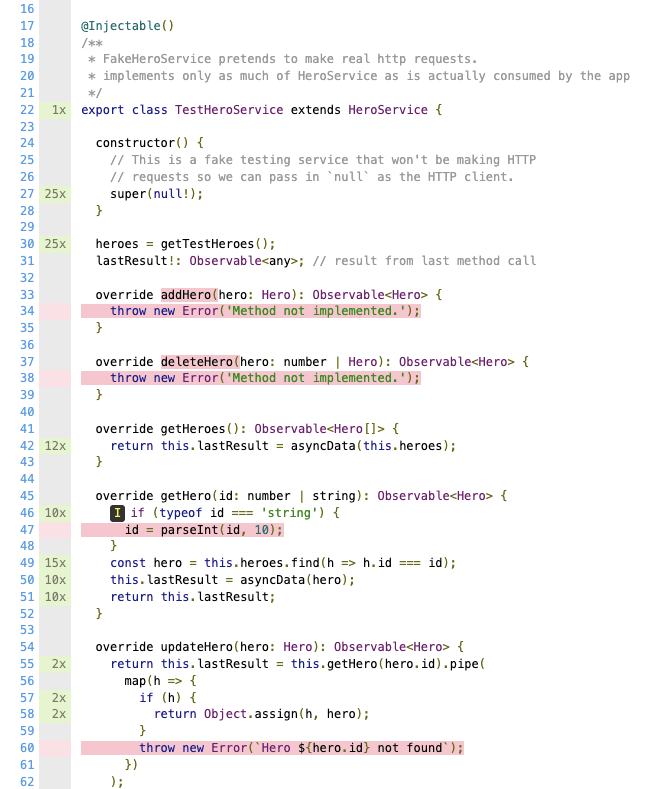
For more details please refer to this link - Angular
For Karma configuration details - Karma configuration
Related: see the Angular unit testing with Jasmine and Karma guide for how this fits with the rest of the toolchain.
Key takeaways
- •`ng test --no-watch --code-coverage` is the CI-friendly form: it runs once and exits instead of watching for changes.
- •The report lands in /coverage — open coverage/index.html in a browser to drill into per-file, per-line coverage.
- •Set `codeCoverage: true` under the test options in angular.json so you don't have to pass the flag every time.
- •Enforce a floor with the check-coverage thresholds in karma.conf.js so coverage cannot silently regress.
- •Add /coverage to .gitignore — it is a build artefact and should never be committed.
- •Branch coverage is the number that matters: 100% line coverage with untested conditional branches still hides bugs.
Frequently asked questions
How do I generate code coverage in an Angular project?
Run `ng test --no-watch --code-coverage`. The Angular CLI runs the Karma test suite once and writes an HTML coverage report into a /coverage folder at the project root. Open coverage/index.html to browse it.
How do I make code coverage the default without passing a flag?
In angular.json, under architect > test > options, add "codeCoverage": true. Every subsequent ng test run then produces a coverage report without the command-line flag.
How do I enforce a minimum coverage threshold in CI?
Configure coverageReporter.check in karma.conf.js with global thresholds for statements, branches, functions, and lines. Karma exits with a non-zero status when coverage falls below them, which fails the build.
How do I exclude files from the coverage report?
Add the paths to the exclude array under the test options in angular.json — typically spec files, generated code, environment files, polyfills, and main.ts. Excluding untestable boilerplate makes the remaining percentage meaningful.
Why is my coverage report empty or missing?
Usually the run is still in watch mode, so the report is not written until the process exits — add --no-watch. Otherwise confirm you are looking in the project-root /coverage folder, and that the test run actually executed specs rather than failing during compilation.